
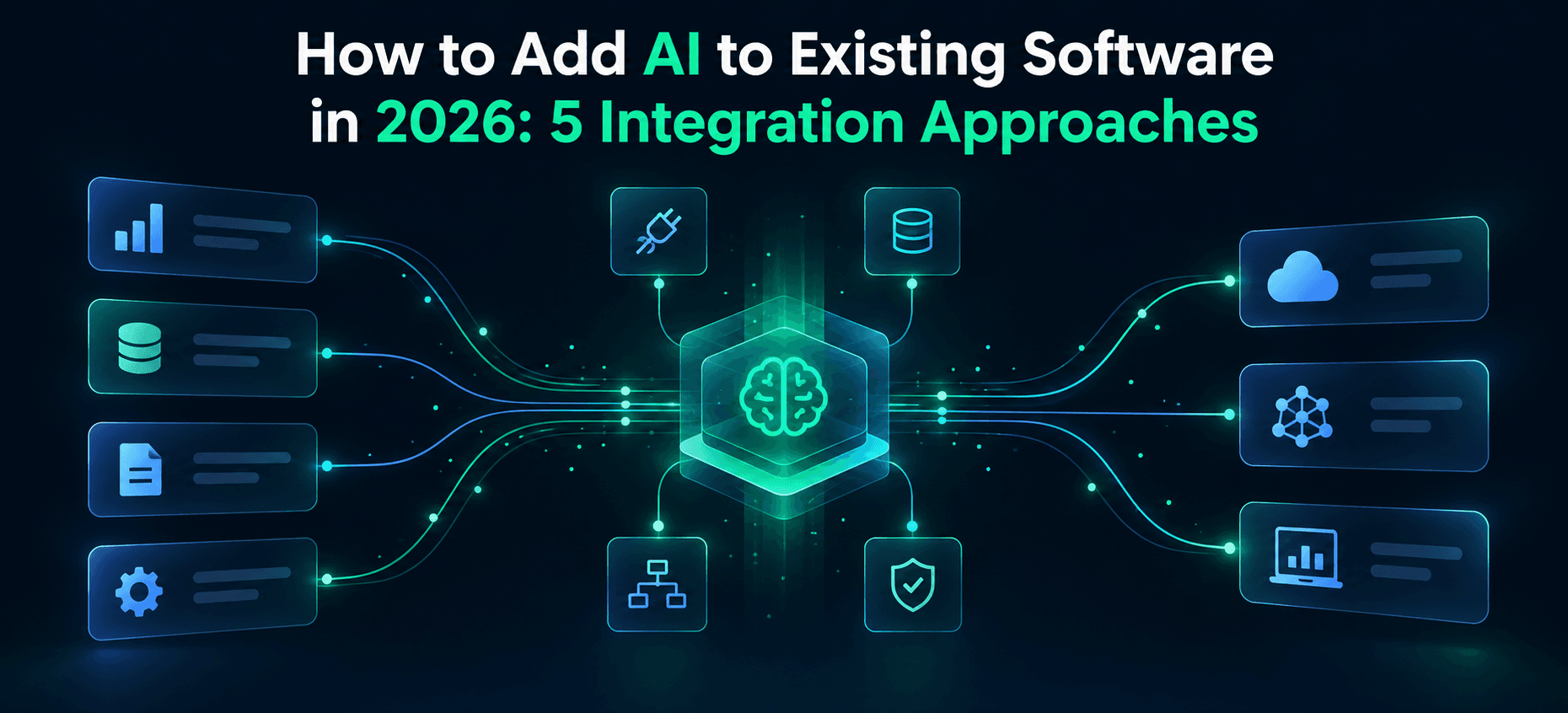
How to Add AI to Existing Software in 2026: 5 Integration Approaches
Most companies don't need new software to start using AI. They need a way to connect AI to the software they already run. That distinction gets lost fast, usually the moment someone says, “Let's just add AI to it,” and nobody can agree on what that means. Does it call an API? Does it need access to company documents? Does it take actions, or only suggest them? These aren't small details. They are the whole decision.
This is where most AI integration services conversations start to matter. The model itself is rarely the hard part anymore. The hard part is what sits underneath it: which systems can safely expose data, who is allowed to see what, what happens when the AI is wrong, and whether the business process it touches can tolerate a mistake. Teams that skip these questions can end up with a flashy demo and a production system nobody trusts.
This guide walks through five practical ways to add AI to software you already have. It doesn't assume a rebuild, and it doesn't pretend any single approach is the answer for everyone.
Quick answer: Most companies can add AI to existing software without rebuilding it. The right approach depends on whether the AI needs company knowledge, system access, event triggers, multi-team reuse, or human oversight. The five practical approaches are direct model/API integration, RAG over company data, AI agents connected to tools, workflow/event-triggered AI, and AI middleware or a service layer. Start with the smallest approach that solves a measurable workflow problem. Expand only once permissions, evaluation, and monitoring are in place.
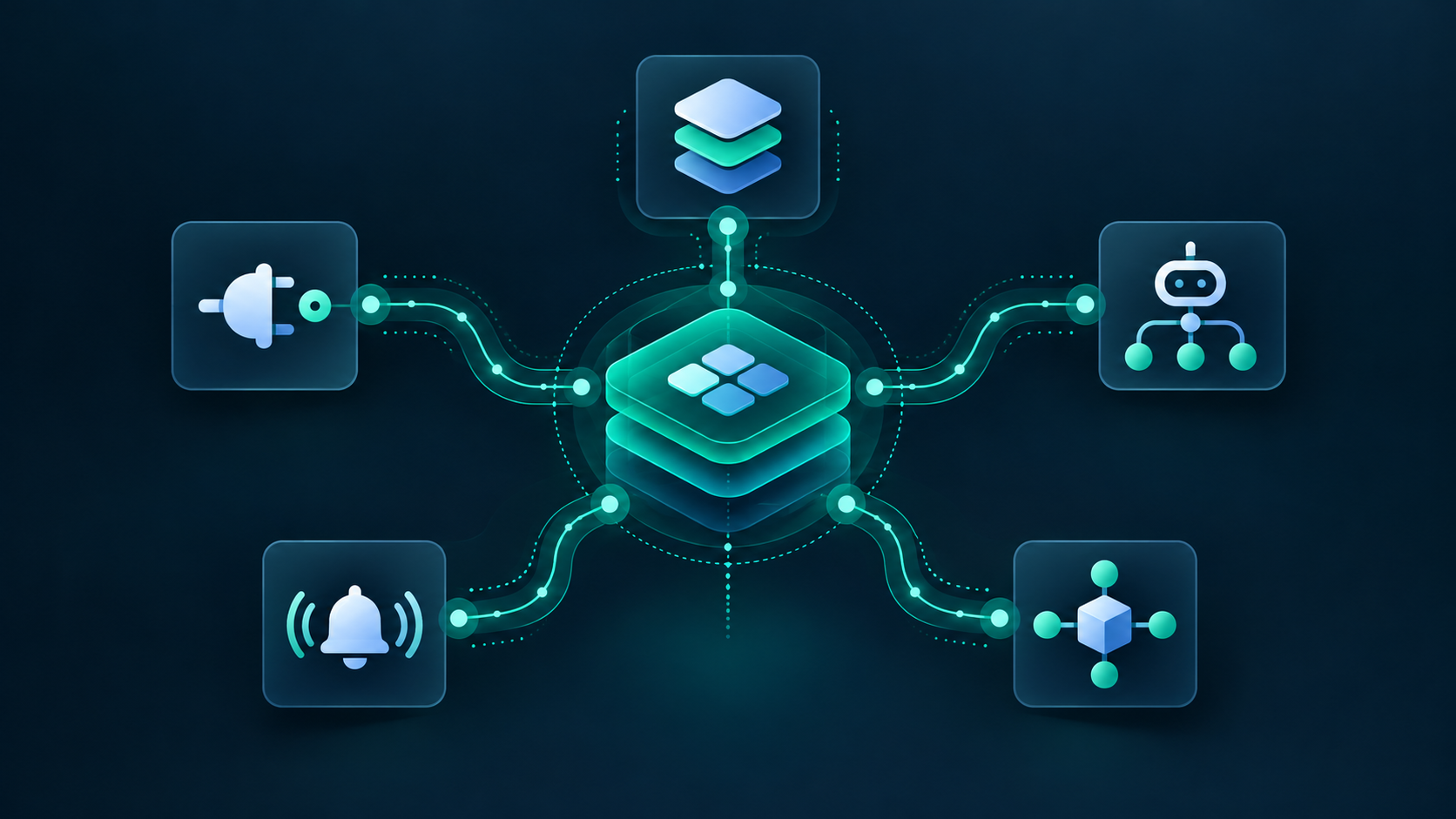
What It Means to Add AI to Existing Software
AI integration means connecting AI capability to software, data, and workflows that already work, without tearing them apart.
Rebuilding is something else: replacing or substantially re-architecting an application because it genuinely can't support what you need.
Custom AI development is different again. It can involve building or fine-tuning models for domain-specific performance, IP requirements, latency constraints, or a specialized task an off-the-shelf model cannot meet.
People mix these three up constantly, and it can lead to unnecessary work. A team that needs a contained integration commissions a costly rebuild. Another team tries to make a generic API solve a problem that needs more specialized development.
Option | Best for | Main trade-off |
|---|---|---|
AI integration | Adding capability to existing systems | Limited by existing APIs, data quality, and workflows |
Rebuilding | When the current system cannot support the required change | Greater cost, risk, and migration effort |
Custom AI development | Domain performance, IP, or specialized inference needs | More upfront investment and ongoing model ownership |
If your use case needs specialized model work rather than a general-purpose model connected to your existing stack, that's a different conversation. Our custom AI development work covers it. But for many businesses weighing this question, the place to start is integration-not a rebuild.
The 5 Integration Approaches
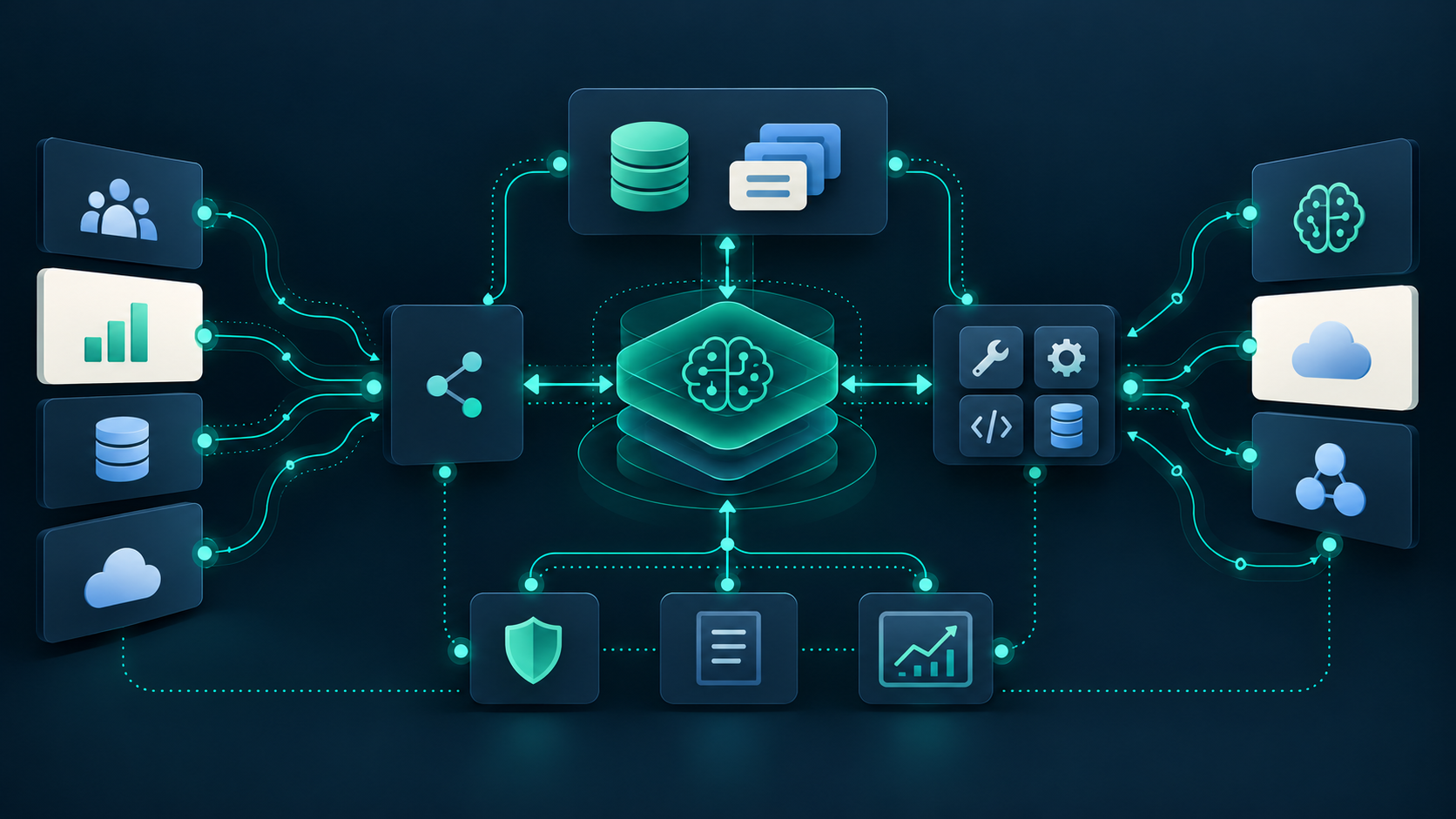
Think of these as five starting patterns, not five mutually exclusive architectures. Mature AI integrations often combine them, and we'll cover some common combinations shortly.
1. Direct Model and API Integration
This is the simplest pattern. Your existing application calls an LLM, vision, speech, classification, or prediction API and uses the response within its existing workflow. There's no retrieval layer, no agent reasoning, and no multi-step orchestration. It's one request and one response.
It fits summarization, extraction, classification, translation, scoring, and drafting. Choose it when the workflow needs one contained AI capability. Avoid it when the AI needs broad company knowledge that isn't already available to the request, or when it has to take multi-step actions across systems.
“Simple” doesn't mean casual. Even a minimum viable version needs:
- Prompt and version control
- A defined output schema
- Retry logic and timeout handling
- A fallback path when the model fails or times out
- Response caching where it makes sense
- A cost ceiling
- An evaluation set to catch regressions when the model or prompt changes
Example: An existing finance portal calls an extraction API to pull structured fields-vendor, amount, and due date-from uploaded invoices. Nothing else in the application has to change.
2. RAG Over Company Data
Retrieval-augmented generation (RAG) pulls approved company content before the model generates a response. This grounds the answer in information the model wasn't trained on. It fits internal knowledge assistants, support copilots, policy search, and documentation Q&A particularly well.
Here's what people underestimate: RAG is as much a data-access, permissions, freshness, and governance problem as it is a retrieval problem. Building an index is only part of the work. You also need to establish who may see each document, keep the index current as source material changes, and check whether the system is retrieving the right evidence.
Production RAG needs a source inventory, reliable document parsing, a sensible chunking strategy, permission enforcement at the retrieval layer, a freshness and re-indexing process, citations where appropriate, and ongoing retrieval evaluation. A system that quietly retrieves the wrong documents can be more dangerous than one that visibly fails.
Example: A support assistant answers customer questions using help documentation, prior resolved tickets, product documentation, and the customer's account entitlements. Retrieval is scoped so it cannot surface another customer's data. For teams building this kind of system, our RAG development work focuses on the retrieval and permissions layer-not just the demo.
3. AI Agents Connected to Tools and Systems
This is where AI stops just answering questions and starts planning and performing tasks: calling APIs, using tools, and coordinating across business systems. It fits onboarding, research, case handling, operations, and work that spans multiple disconnected systems.
A useful distinction: read-only research agents that gather information and recommend next steps are lower risk than write-capable operational agents that create records, send communications, or modify data. Treat them differently from day one.
Think of autonomy as a ladder, not a switch: suggest → draft → act with approval → act autonomously within limits. Few organizations should start at the top rung. Production agent systems need tool allowlists, scoped credentials, approval gates on consequential actions, audit logging, a recovery path, and rate limits to contain runaway behavior.
Example: An onboarding agent reads a signed contract, prepares a customer record and setup tasks, and drafts a welcome email. A human approves consequential system changes and sends the email. If this is the direction your use case is heading, our AI agent development work addresses staged autonomy rather than assuming every action should be automatic.
4. Workflow and Event-Triggered AI
Here, AI activates when a business event occurs-a ticket is created, a document is uploaded, or a lead is submitted-rather than waiting for a user to prompt it. This fits ticket triage, document processing, lead routing, exception handling, and approval workflows.
The reliability bar is different from a chat-style integration because there may be no person watching when something silently fails. These systems need idempotency, so processing the same event twice doesn't duplicate an action; retries with backoff; dead-letter handling for events that repeatedly fail; monitoring; and graceful degradation.
One rule worth stating plainly: the core business system must keep working if the AI layer goes down. If a support queue stops functioning because an AI triage service is unavailable, the integration was designed backwards.
Example: A new support ticket triggers classification, priority scoring, routing to the right team, and a drafted response before a human opens it.
5. AI Middleware or Service Layer
For organizations running multiple AI use cases across teams, a shared internal layer for model routing, prompt management, retrieval, permissions, logging, and cost controls can make sense. Instead of five teams building five separate integrations, one governed service layer supports them all.
This is unnecessary complexity for a single team with one use case. Don't build middleware to solve a problem you don't have yet. It becomes justified when you have multiple consumers, a need for consistent governance, or usage patterns that require centralized visibility.
Production middleware needs clear API contracts, identity integration so permissions follow the user, policy enforcement, observability across consumers, and a fallback if a primary model provider has an outage. In practice, these gateways can take the form of backend services, so the choice of runtime should follow the workload rather than a preferred language alone.
Example: An internal AI gateway serves support, sales, HR, and product teams while applying consistent permission and logging standards.
Common Integration Combinations
Real implementations rarely stick to one pattern:
- Event-triggered RAG: A document is uploaded, indexed, summarized, and routed.
- RAG plus a supervised agent: The system retrieves context and drafts an action, then waits for approval before executing it.
- API plus middleware: Multiple applications use one governed AI service layer instead of calling a model provider separately.
- Workflow plus agent: An event triggers routing; an agent drafts a resolution but cannot close the ticket without approval.
How to Choose the Right Integration Approach
Five Questions to Ask Before Choosing
- Does the AI need company-specific knowledge it wouldn't otherwise have?
- Does it need to take action inside business systems, or just provide information?
- Is it triggered by a user request or a business event?
- Will multiple teams or applications need to reuse this capability?
- What level of human oversight does the use case require?
Approach Selector
Situation | Recommended starting approach |
|---|---|
Add one contained feature to an existing app | Direct model/API integration |
Answer questions from internal documents and tickets | RAG over company data |
Coordinate multi-step work across systems | AI agent with guardrails |
Automate a defined business process | Workflow/event-triggered AI |
Serve multiple teams with shared AI controls | AI middleware/service layer |
Consider a legal team that wants answers from internal contracts without exposing those contracts outside the legal function. That's a RAG use case with tight permission boundaries, not a general-purpose assistant.
A logistics company that wants to flag delayed shipments and draft customer notifications is looking at event-triggered AI, possibly with an approval step before any message is sent. A SaaS company adding semantic product search might use retrieval or a direct API integration, depending on how much contextual reasoning the search needs.
Where AI Integration Creates Value
Customer Support and Service Operations
Ticket classification, priority scoring, and drafted responses can help teams respond to customers sooner while keeping a person responsible for the final decision.
Sales, CRM, and Customer Success
Lead scoring, call summarization, and onboarding coordination can reduce manual handoffs between systems that don't naturally talk to each other.
Finance, Procurement, and Document Processing
Field extraction, validation, and exception flagging can reduce manual data entry without removing human review from decisions that matter.
Internal Knowledge and Employee Productivity
RAG-based search across documentation, policies, and prior tickets can make existing answers easier to find.
Product Features and Customer-Facing SaaS AI
Semantic search, recommendations, and AI-assisted workflows can become part of the product customers use, rather than a separate internal tool.
Use case | Existing system | AI capability | Integration approach | Primary metric |
|---|---|---|---|---|
Support ticket triage | Helpdesk | Classify, prioritize, draft response | Workflow/event-triggered AI | First-response time |
Internal knowledge search | Documentation and tickets | RAG-based answers with citations | RAG over company data | Resolution time |
Invoice processing | Finance/ERP | Extract and validate fields | Direct API plus workflow | Manual review time |
Onboarding coordination | CRM and project tools | Multi-step task coordination | Supervised AI agent | Onboarding cycle time |
AI-powered product search | SaaS product | Semantic search and recommendations | RAG or direct API integration | Search engagement or conversion |
These are hypothetical scenarios illustrating the approaches, not claims about Toadster client outcomes.
Integration Architecture: What Sits Between AI and Your Software
Many AI integration problems come down to the layers between the application and the model. Understanding those layers makes it easier to spot missing controls before launch.
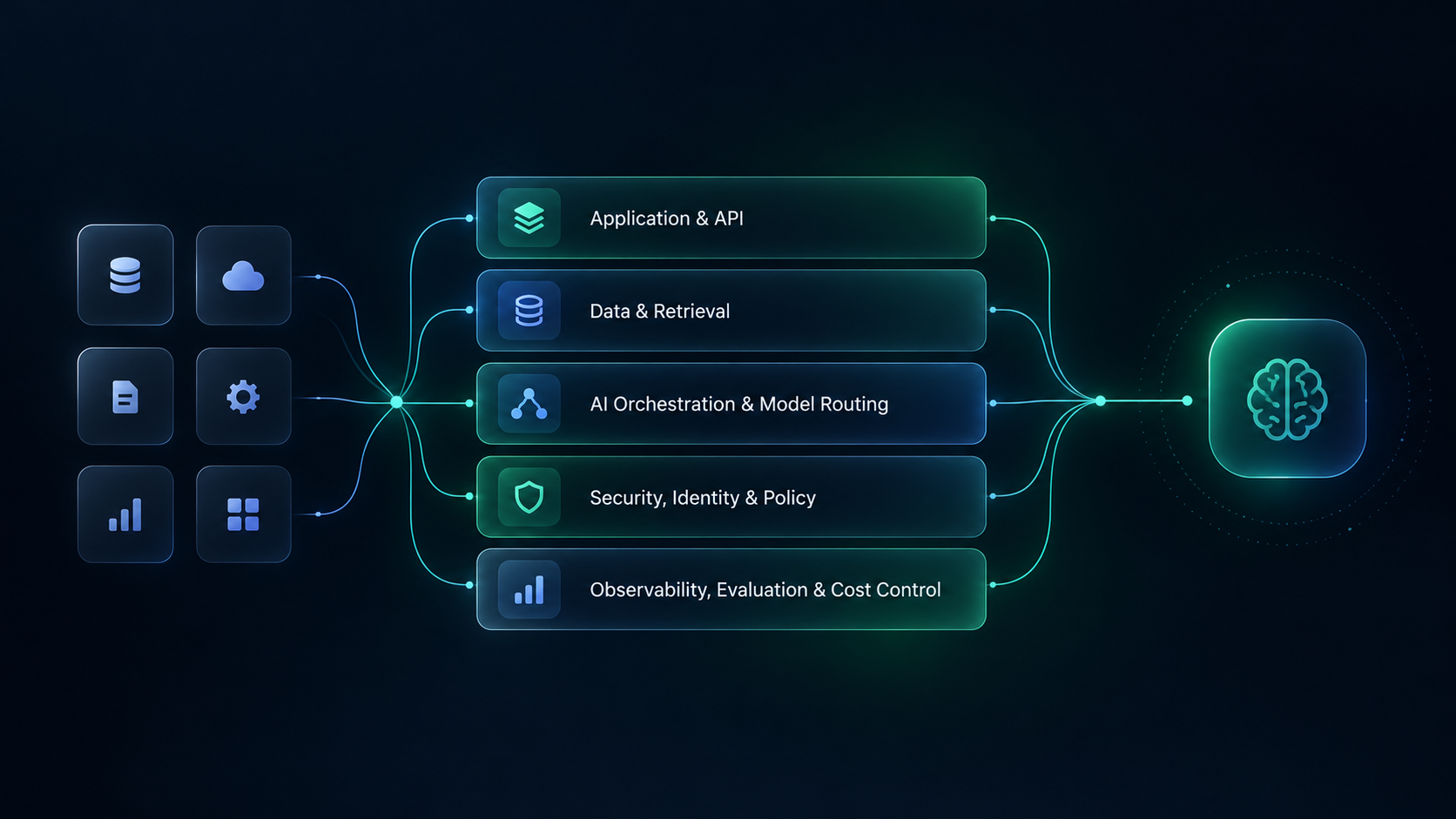
Application and API layer. Where your existing software exposes the endpoints an AI integration calls. Legacy systems can be difficult here because their APIs may not support granular, permission-aware access.
Data and retrieval layer. Document stores, databases, and retrieval indexes that supply context. This is where RAG lives, and where much of its ongoing data work happens.
AI orchestration and model-routing layer. The logic that manages prompts and context, selects a model for a request, and handles provider fallbacks when needed.
Security, identity, and policy layer. Enforces who can access what, which actions require approval, and which credentials an AI component can use. Where possible, it should work with your existing identity system rather than creating a parallel one.
Observability, evaluation, and cost-control layer. Logs, metrics, and evaluations that tell you whether the system is producing useful, permitted results-not just whether its servers are running.
Security, Governance, and Production Readiness
Data Access and Permissions
An AI component should only retrieve data the requesting user is authorized to access. Permission enforcement must reach the data and retrieval layer, not stop at the application's front door.
Guardrails for AI Actions
Separate read-only retrieval from write-capable actions. Changes to records, outgoing communications, and downstream processes need defined approval rules before they can run without a human check.
Evaluation and Quality Controls
Output validation and business-rule checks can catch failures before an answer reaches a user or triggers an action. Maintain an evaluation set-a collection of representative test cases-and run it when prompts, models, or retrieval sources change.
Monitoring, Auditability, and Incident Response
Capture enough information to investigate an incident: the model and prompt version, relevant retrieval sources, the authorized user or service, the output, and any action taken. Apply retention rules and redact sensitive content where appropriate; auditability shouldn't create a second data-exposure problem.
Pre-Production AI Integration Checklist
- Approved data sources and documented permissions
- Least-privilege service identities
- Separation of read-only retrieval and write actions
- Approval requirements for high-impact actions
- Output validation and business-rule checks
- Prompt-injection and data-leakage testing
- Appropriate logs for sources, model versions, users, outputs, and actions
- Latency, cost, error-rate, and quality thresholds
- Rollback, provider fallback, and degraded-mode behavior
Here's a caveat worth stating directly: a model upgrade is not a governance strategy. If permissions, evaluation, and monitoring are weak, swapping in a more capable model doesn't fix them.
Legacy Software: Wrap, Extend, or Selectively Modernize
The question behind many legacy-system conversations is: Do we need to replace this before we can add AI to it? Often, no.
Wrap: Add AI capability around a stable system through approved exports, existing interfaces, or a controlled integration layer without changing its core.
Extend: Add APIs, event hooks, or other integration points when the system can safely support them.
Selectively modernize: Replace the component that blocks safe integration while leaving the rest of the application intact.
Legacy system condition | Recommended path |
|---|---|
Has stable APIs and event support | Direct API or event-triggered integration |
Has database access but no API | Controlled integration layer or API wrapper |
Has no safe integration path | Modernize the blocking component before exposing data or actions |
Requires strict compliance controls | Add policy, audit, and approval controls to the integration design |
Cost, Timeline, and ROI Expectations
What Drives Cost
Integration scope, data readiness, permission complexity, and the number of systems involved can have more influence on cost than the choice of model. Team setup matters too. If you plan to staff the build externally, this breakdown of offshore development services costs covers team structures and less obvious expenses.
Build Cost vs. Operating Cost
The upfront build is only part of the equation. Model usage, monitoring, index maintenance, and periodic re-evaluation continue after launch.
How to Measure ROI
Choose a workflow metric before you build: response time, manual review hours, resolution rate, or another outcome tied to the work being changed. “We added AI” isn't a measure of value.
Integration scope | Relative delivery effort | Main cost drivers | Ongoing operating considerations |
|---|---|---|---|
Single contained AI feature | Usually lower | API setup, prompt design, validation | Model usage, monitoring, maintenance |
RAG over company knowledge | Moderate | Data cleanup, permissions, retrieval, evaluation | Index updates, retrieval quality, usage cost |
Event-driven workflow | Moderate | Integration points, reliability engineering, monitoring | Queue costs, retries, model usage |
Supervised AI agent | Often higher | Tool integration, permissions, guardrails, auditability | Tool access, human review, monitoring |
Multi-team AI service layer | Often highest | Architecture, governance, identity, observability | Platform maintenance, model routing, cost controls |
These are relative effort levels, not fixed prices or guaranteed timelines. Existing integrations, data quality, and compliance requirements can change the order considerably.
A Practical Rollout Model
AI integration works best when it fits the way your team already ships software. If you're still deciding on a delivery method, our guide on choosing an Agile development framework is a useful starting point. A possible rollout looks like this:
Weeks 1–2: Assess the use case, data, and systems. Map the systems involved, available data, permissions, risks, and a measurable success metric.
Weeks 3–6: Build a thin-slice pilot. Test one use case, one data source, and one workflow. Establish baseline access controls and evaluation before using sensitive data; don't defer those protections until the pilot is over.
Weeks 7–10: Harden controls and stage the rollout. Expand testing, logging, approval gates, and failure handling before broader production use.
Beyond week 10: Expand or generalize. If the pilot holds up under real usage, consider additional use cases or a shared service layer where reuse justifies it.
These timeframes vary substantially with complexity, regulatory requirements, and data readiness. Treat them as an illustrative sequence, not a delivery promise.
What This Looks Like With Toadster
We approach AI integration as an engineering and governance problem first, not simply a model-selection exercise. That starts with understanding what you're already running: which systems have usable APIs, where the data lives, who can see it, and which workflows can tolerate automation versus those that need a person in the loop.
From there, the work follows the needs of the use case: a contained pilot, appropriate permissions and evaluation, and a staged rollout rather than a single big launch. We don't start by assuming you need a rebuild-or that every use case needs full autonomy.
If you're trying to work out which approach fits your systems and workflows, our AI integration services team can help assess the options before development begins.
Adding AI Without Destabilizing the Software You Already Run
The model is rarely the only hard part of adding AI to existing software. Data access, workflow design, permissions, evaluation, and operational control determine whether an integration remains useful once it encounters real users and real exceptions. The right starting point is the smallest capability your systems can support safely.
If you're weighing your options, talk to Toadster about your AI integration plans.