
Introduction
Every enterprise conversation about automation eventually arrives at the same question: how do you actually build an AI agent, not just talk about one. A chatbot waits for a prompt and returns a single response. An agent perceives a goal, plans a sequence of actions, calls tools, checks its own output, and keeps working until the task is done. That shift, from answering questions to completing work, is why AI agent development has become one of the fastest-growing categories in enterprise software.
If you're wondering how to create an AI agent, the process starts with defining a focused business task, choosing the right model and architecture, connecting the required tools, and building the guardrails needed for reliable execution.
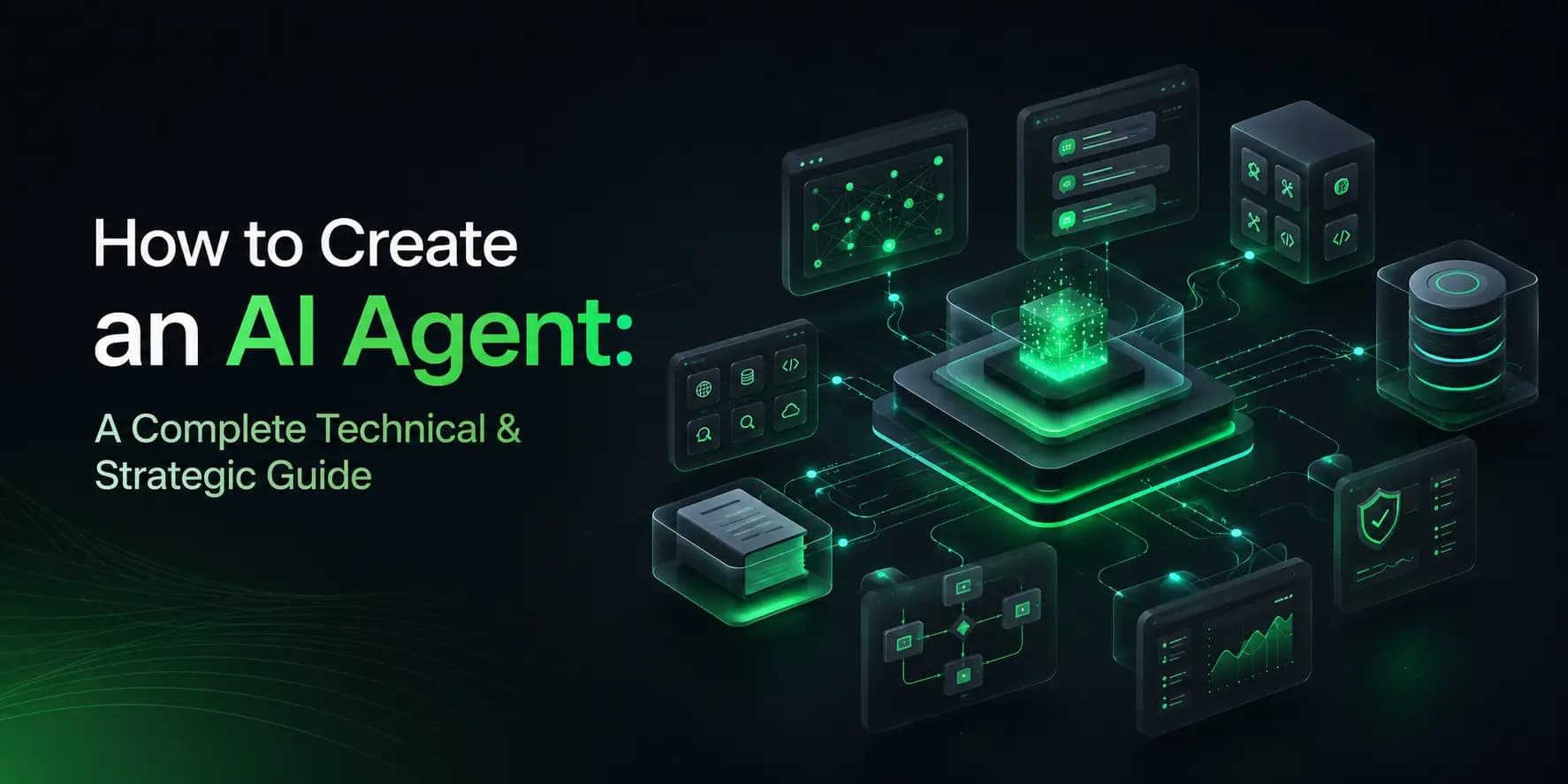
This guide walks through the full technical process of building an AI agent: architecture patterns, LLM selection, tool calling, memory design, retrieval-augmented generation, multi-agent orchestration, and the guardrails a serious deployment needs. It's written for founders, product leads, and engineering teams evaluating whether to build in-house or work with a company offering AI agent development services. Toadster builds agentic systems for clients across fintech, healthcare, logistics, and SaaS, so the process below reflects what actually works in production, not a framework lifted from a research paper.
What Is an AI Agent?
An AI agent is a software system built around a large language model that can autonomously reason about a goal, decide which actions to take, execute those actions using external tools or APIs, observe the results, and continue until the goal is met or a stopping condition is reached. It doesn't follow a fixed script - it makes decisions dynamically based on the context in front of it.
Two examples make this concrete:
- A support agent reads an incoming ticket, checks order status through an API, applies the refund policy to determine eligibility, issues the refund through the payment gateway, and sends a confirmation email - without a human reviewing the standard cases.
- A procurement agent monitors inventory levels, pulls quotes from three approved suppliers, compares pricing and lead time against budget rules, and places a purchase order automatically when conditions are met.
Three traits are especially common in modern AI agents: autonomy, tool use, and persistence. Systems that lack these capabilities may be closer to conventional LLM applications than fully agentic systems - autonomy means deciding the next step rather than following a hardcoded flow, tool use means acting on systems outside the model, and persistence means holding context across multiple steps of a task, not just one exchange.
AI Agent vs Chatbot
The terms get used interchangeably in sales decks, but the underlying systems are built differently. A chatbot answers the question "What's your refund policy?" An agent processes the instruction "Refund order #4521" - it checks the policy, verifies eligibility, executes the refund, and reports back that it's done.
AI Agent
- Primary role: completes a defined task or workflow
- Decision-making: plans, acts, observes, and re-plans across steps
- Tool/API usage: calls APIs, databases, and external systems
- Multi-step tasks: core capability - chains actions toward a goal
- Memory/context: maintains state across the full task
- Autonomy: decides its own next step within its scope
- Human oversight: higher stakes - needs guardrails and checkpoints
AI Chatbot
- Primary role: answers questions and holds conversation
- Decision-making: generates a single response per prompt
- Tool/API usage: little to none - mostly text output
- Multi-step tasks: not designed for multi-step execution
- Memory/context: usually limited to the current session
- Autonomy: waits for the next user prompt
- Human oversight: low risk - output is informational
Core Components of an AI Agent
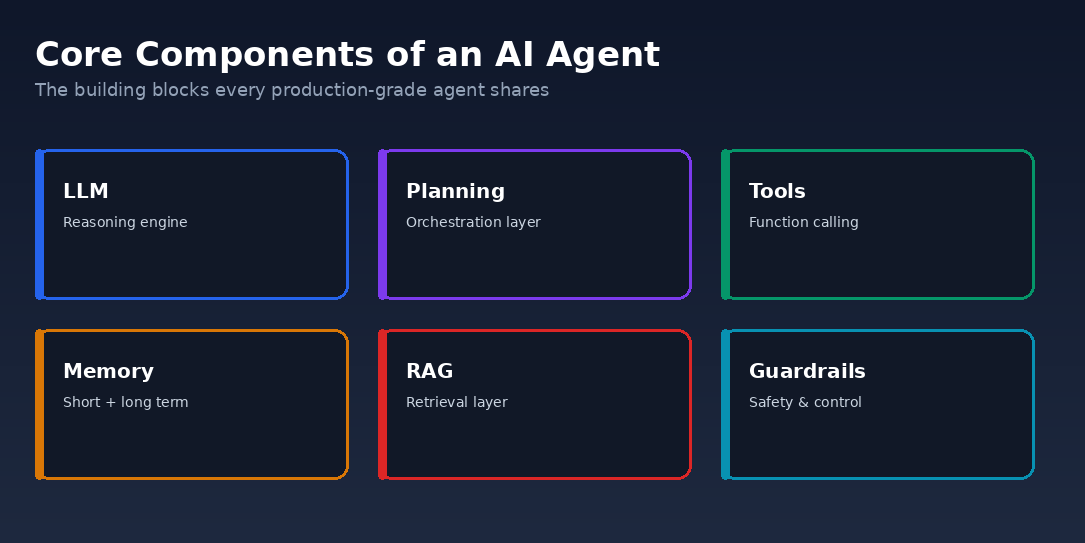
Every production agent, regardless of use case, is built from the same set of components:
- LLM (reasoning engine): interprets the goal, decides what to do next, and generates the language and structured calls the rest of the system executes.
- Planning / orchestration layer: breaks a goal into steps and sequences them, with logic to re-plan when something fails.
- Tool / function-calling layer: connects the model to APIs, databases, and internal systems it can act on.
- Memory: short-term context for the current task and long-term storage for facts that need to persist across sessions.
- Retrieval layer (RAG): grounds responses in your actual company data instead of the model's general training.
- Guardrails: permission scoping, validation, and human-approval checkpoints for anything high-risk.
- Monitoring / observability: logs every reasoning step and tool call so failures are debuggable, not mysterious.
Step-by-Step Process to Build an AI Agent
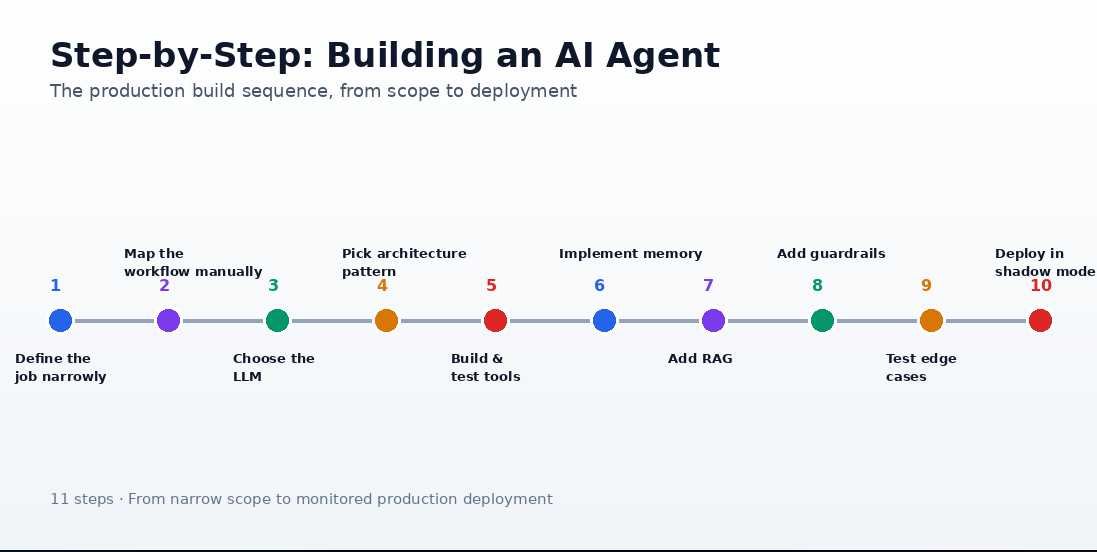
The build sequence that holds up in production, whether it's a two-tool internal agent or a multi-agent enterprise system:
- Define the job narrowly. Not "a customer service agent" - "process refund requests under $200 for orders less than 30 days old." Scope determines everything downstream.
- Map the workflow manually first. Write out exactly how a skilled employee would do the task, step by step, before writing any code.
- Choose the LLM based on the reasoning and tool-use demands of the task, not on brand familiarity.
- Pick an architecture pattern (ReAct, plan-and-execute, or multi-agent) that matches the workflow's complexity.
- Build and test each tool integration in isolation before wiring it into the agent.
- Implement memory - short-term working memory plus any long-term storage the task actually needs.
- Add retrieval (RAG) if the agent needs grounding in internal documents, policies, or product data.
- Add guardrails: permission scoping, action validation, and human-in-the-loop checkpoints for irreversible steps.
- Test against real scenarios, including edge cases and adversarial inputs, before anyone sees it in production.
- Deploy in shadow mode first, then a limited rollout, with full monitoring from day one.
- Iterate continuously based on production failures - the first version is never the final version.
Choosing the Right LLM
There's no universal "best" model for agents - the right choice depends on the reasoning depth, tool-calling reliability, context length, and cost profile your specific workflow needs. Work through these considerations before shortlisting a model:
- Reasoning capability: how well the model handles multi-step logic and ambiguous instructions without losing track of the goal
- Tool/function calling: accuracy and consistency of structured tool calls, especially with multiple tools available
- Context window: whether it's large enough to hold the task's working memory, retrieved documents, and conversation history
- Latency: response time under real task load, not just single-prompt benchmarks
- Cost: usage-based API pricing versus self-hosted infrastructure cost at your expected volume
- Reliability: consistency of output format and behavior across repeated runs of the same task
- Privacy/deployment requirements: data residency, compliance needs, and whether a hosted API or self-hosted model is required
At a general level, GPT models offer a broad tool-use ecosystem, Claude tends to hold up well on long, multi-step reasoning and instruction-following, Gemini adds native multimodal input and tight Google Cloud integration, and open-source models (Llama, Mistral, Qwen) trade some out-of-the-box polish for data residency control and no per-token vendor cost. Don't shortlist a model off a published leaderboard - build a small representative test set from your actual workflow, five to ten real scenarios including the messy ones, and benchmark candidates against it before committing.
Designing Agent Architecture
The architecture pattern determines how the agent reasons and acts. The patterns below cover most real deployments, from a single agent working alone to multiple agents coordinating on a shared goal.
Single-Agent Patterns
- ReAct (Reason + Act): the model alternates between reasoning and taking a single action, observing the result before the next step. Best for tasks with unpredictable branching, where the next step depends on what just happened.
- Plan-and-Execute: the model creates a full plan upfront, then executes each step, replanning only on failure. Best for well-defined, mostly linear workflows where the steps are known in advance.
- Reflexion / self-critique: the agent reviews its own output against criteria before finalizing or acting. Best for high-stakes outputs where a second pass materially reduces errors.
Supervisor + Specialists
- Orchestrator-worker: a supervisor agent delegates subtasks to specialist agents and combines their results. Best for workflows spanning multiple domains a single agent can't handle well; higher capability, but higher coordination cost.
- Debate / critique pairs: two agents challenge each other's output before finalizing. Improves accuracy on judgment-heavy tasks, but doubles inference cost.
Pipeline
- Sequential pipeline: agents run in a fixed order, each handing off to the next. Predictable, but a weak link stalls the whole chain.
Event-Driven
Rather than running in a synchronous request/response loop, an event-driven agent is triggered by events - a new support ticket, a webhook, a scheduled job, a change in a monitored system - and reacts as those events arrive. This suits background automation and monitoring workflows where the agent needs to act continuously rather than only when a user is present, though it adds complexity around event ordering, retries, and idempotency.
Most teams overbuild here. Start with ReAct or plan-and-execute for a single-agent system; move to orchestrator-worker only once you've confirmed a single agent genuinely can't cover the scope.
Tool Calling & API Integrations
Tool calling is what turns a language model into an agent. You define a schema for each tool - its name, parameters, and a clear description of when to use it - and the model decides which tool to call and with what arguments. Your system executes the call and returns the result to the model, which decides the next step.
A logistics client's agent, for example, is connected to a warehouse management API, a carrier rate API, and an internal pricing rules engine - three separate tools it chooses between depending on what the shipment request requires.
Practices that separate reliable tool calling from brittle tool calling:
- Keep each tool narrow and single-purpose - a tool that does one thing well is easier for the model to use correctly than one with a dozen optional parameters.
- Write tool descriptions the way you'd brief a new employee, not the way you'd document an internal API.
- Build explicit error handling for every tool call - the model needs to see failures, not silent nulls.
- Make irreversible actions (refunds, payments, sending emails) idempotent, so a retry can't duplicate the action.
- Rate-limit and budget-cap tool calls to prevent runaway loops from a misfiring agent.
Memory & Context Management
Agent memory works at three levels. Short-term memory holds the current task's context inside the model's context window. Working memory acts as a scratchpad for intermediate reasoning across multi-step tasks. Long-term memory persists facts across sessions, usually in a vector database or structured store - a sales agent, for instance, needs to remember a prospect's objections from three weeks ago, not just the current call transcript.
The common failure mode isn't too little memory - it's treating memory as unlimited context stuffing. Dumping an entire conversation history or document set into every prompt degrades reasoning quality and inflates cost. Retrieve only what's relevant to the current step.
RAG Integration
Retrieval-augmented generation (RAG) grounds an agent's responses in your organization's actual data - policy documents, product catalogs, past support tickets - instead of relying only on the model's general training. This is the single biggest lever for reducing hallucination in a domain-specific agent.
The standard pipeline: chunk your source documents into retrievable segments, generate embeddings for each chunk, store them in a vector database, and at query time retrieve the chunks most relevant to the current step, injecting them into the model's context before it responds or acts.
An internal HR agent answering "How many carry-forward leave days am I allowed?" should retrieve the actual, current HR policy document rather than generating an answer from general knowledge - RAG is what makes that distinction possible.
Multi-Agent Systems
A single agent handles most workflows well. Multi-agent systems earn their added complexity only when a task genuinely spans domains a single agent struggles to reason across in one context - for example, a market research workflow with a research agent pulling data, an analysis agent structuring findings, and a writing agent producing the final report, all coordinated by an orchestrator agent. The orchestrator-worker, sequential pipeline, and debate/critique patterns covered above are the building blocks most multi-agent systems combine.
More agents means more failure points, harder debugging, and higher inference cost. Treat multi-agent architecture as a scope decision, not a default - reach for it only after confirming a well-designed single agent can't do the job.
Guardrails & AI Safety
An agent that can take real actions needs real controls around it. The non-negotiables for any production deployment:
- Least-privilege permissions: scope API keys and tool access to exactly what the agent's task requires, nothing broader.
- Human-in-the-loop approval: route irreversible or high-value actions (large refunds, contract sends, payments above a threshold) through a human checkpoint.
- Output validation: check the agent's intended action against business rules before it executes, not after.
- Rate and budget limits: cap tool calls and spend per task to contain runaway loops.
- Audit logging: record every reasoning step and action taken, with timestamps, for accountability and debugging.
- Data privacy compliance: handle PII according to the regulatory requirements of your industry and region, not as an afterthought.
Testing & Evaluation
Agents fail differently than traditional software, so testing has to cover more than functional correctness:
- Unit test each tool integration independently before it's wired into the agent.
- Build a golden test set of real scenarios, including edge cases, and score the agent's completion rate against it.
- Run adversarial tests - malformed inputs, prompt injection attempts, ambiguous instructions - to see where the agent breaks.
- Put a human evaluation loop in place before anything reaches production traffic.
- Track task success rate, completion time, cost per task, and error rate as ongoing metrics, not one-time launch numbers.
Deployment & Monitoring
Roll out in stages: shadow mode first (the agent runs alongside a human without taking real actions), then a limited production slice, then a full rollout once failure rates hold steady. Log every reasoning step and tool call from day one - when an agent fails in production, the log is the only way to understand why.
A monitoring dashboard should track latency, cost per task, success and failure rate, and escalation rate to humans, with alerts on any sudden shift. Build a feedback loop that routes production failures back into your evaluation set, so the agent's prompts and tools improve from real usage rather than staying frozen at launch quality.
Common Mistakes
- Building a general-purpose agent instead of solving one workflow well - scope creep kills more agent projects than any technical limitation.
- Shipping irreversible actions (payments, refunds, emails) without a human-approval checkpoint.
- No fallback path when the agent is uncertain - it should escalate to a human, not guess.
- Underestimating the effort tool integration actually takes - this is usually the majority of the build, not the LLM prompting.
- Skipping evaluation before launch and finding failure patterns in production instead.
- Ignoring cost per task at scale - a workflow that's cheap at 100 runs a day can be expensive at 100,000.
- Stuffing unlimited context into every prompt instead of retrieving only what's relevant to the current step.
How Much Does It Cost to Build an AI Agent?
Cost scales with scope, not with how impressive the demo looks. As a general planning reference:
Simple Single-Tool Agent
- Typical timeline: 2–4 weeks
- Main factors: one workflow, one or two tool integrations, no RAG
Mid-Complexity Agent
- Typical timeline: 6–10 weeks
- Main factors: multiple tools, RAG over internal documents, basic guardrails
Multi-Agent Enterprise System
- Typical timeline: 3–6 months
- Main factors: several coordinated agents, custom orchestration, full monitoring stack
Actual cost depends heavily on your existing systems, data readiness, and compliance requirements - treat these as directional planning ranges, not quotes.
Beyond the initial build, budget for ongoing LLM API usage, hosting, monitoring tools, and periodic re-evaluation as your workflows and data change. Teams that skip this line item are usually the ones surprised by their first month of production usage costs.
When to Build vs Hire an AI Agent Development Company
Build In-House
- Initial expertise required: team must learn agentic patterns, tool integration, and guardrail design from scratch
- Development speed: slower - architecture and integration approach are worked out along the way
- Infrastructure: you set up hosting, vector DB, monitoring, and CI/CD yourself
- Testing/evaluation: evaluation framework has to be built before it can be used
- Maintenance: falls entirely on your existing team
- Best suited for: teams with existing agentic-systems experience and long-term ownership plans
Hire an AI Agent Development Company
- Initial expertise required: expertise already in place from prior builds
- Development speed: faster - patterns and tooling are already proven
- Infrastructure: infrastructure and tooling choices are already established
- Testing/evaluation: evaluation approach is reused and adapted from prior projects
- Maintenance: can be structured as ongoing support
- Best suited for: teams building their first agent or needing speed to production
If your team has already shipped agentic systems and has bandwidth to own the build long-term, building in-house makes sense. Most teams evaluating their first agent, though, get to production faster and avoid the expensive early mistakes by working with a partner that has already solved the architecture, tool-integration, and guardrail problems across other clients. That's the gap Toadster's AI agent development services are built to close - from scoping the first workflow through deployment and monitoring.
Conclusion
Building an AI agent isn't about picking the newest model and writing a clever prompt. It's a systems design problem - scoping the workflow tightly, choosing the right architecture pattern, integrating tools reliably, managing memory and retrieval deliberately, and putting guardrails around anything the agent can't be allowed to get wrong. Teams that treat it that way ship agents that actually hold up in production; teams that skip straight to the demo usually don't.
If you're weighing whether to build this in-house or bring in a team that's already solved these problems across fintech, healthcare, logistics, and SaaS deployments, Toadster's AI agent development services are built to take you from a scoped workflow to a monitored, production-grade agent - without the trial-and-error most first builds go through.